
XPUB Infrastructour
Wednesday 3 September 2025
MORNING
10:00-12:00
(warming up)
- first! sensing the room (everyone writing a one line infrastructure & intimacy description?)
- WHY this is interesting (infrastructure and intimacy, all the different ways this can take place and be formed)
- overview of XPUB infrastructure - visiting each table briefly
- new ✨ sandbox ✨ launch
- exploring local networks - why local networks, little "id" cards (yes), local etherpad on the sandbox
AFTERNOON
13:00-15:15
(decentralised infrastructouring)
(one table/wiki page with instructions for each thing)
(XPUB infrastructure tasting setup)
- Eduroam
- Sandbox - introduction to XPUB sandbox culture ;) + gathering sandbox name options with dot matrix printer, connected to a screen
- Wiki - make an account, User pages, add yourself to the student page (Manetta)
- Zulip - accounts making, touring through streams, topics and private messages
- [XPUB] and [MD] mailinglists - collect emails and make sure everyone is subscribed
- Etherpad - introducing the features AND possible points of friction (Manetta)
- XML - with Claudio? TBC Manetta will ask him
- Mastodon/Glitchsoc (404.xpub.nl) - with XPUB2, pre-launch, official launch later in September (tbc)
- Bootleg Library
- Gitea
- XVM (HUB, gitea, wiki, websites, pad, ...) + skattkista (backups) + OVH server (Zulip)
- Workbooks - to explore how these workbooks are made (maybe, nice optional extra table)
DIGESTIF
15:15-15:45
sandbox collective name decision making!
BREAK
15:45-16:00
CHERRY ON THE CAKE
16:00-17:00
- Sandbox protocol launch (!) - Michael (invite XPUB2 and alumni)
Previous editions
Previous of this infrastructour:
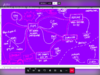 the 2021 edition by Aymeric
- 2022 Edition by Michael

Eduroam
The WiFi network of the school is called Eduroam. It's actually a network that is shared between higher education spaces and other academic organisations throughout the world.
- Are you connected to Eduroam already?
Yes! (go to step 10)
Nope (go to the next step) - Did you receive the HR letter with the login details?
Yes! (great! go to the next step)
Eh no? (Hmm. The people at the FIT/IT desk downstairs can help you further. It's the funny side desk next to the stairs on the ground floor.) - Try to connect to Eduroam, the workbook on this table lists how you can do this on different operation systems and in different ways (Linux/Android/Windows/MacOS/iOS/etc).
- If it does not work, you can go to the FIT/IT desk or ask the PZI coordinators.
Sandbox
Make a user account for yourself on the new sandbox!
- Type the following:
sudo adduser YOURUSERNAME - Follow the questionnaire that reveals itself. Content warning: this is full of legacy stuff from the past in the time that ROOM NUMBER was still thé thing! (the eh 1970s)
- Add yourself to a special administrator group (called SUDO: "super user DO"!) by typing:
sudo adduser YOURUSERNAME sudo - Check if it this all worked by typing:
ls /home/