
XPUB Infrastructour: Difference between revisions
No edit summary |
|||
| (16 intermediate revisions by 2 users not shown) | |||
| Line 1: | Line 1: | ||
__NOTOC__ | __NOTOC__ | ||
''Wednesday 3 September 2025''<br> | ''Wednesday 3 September 2025''<br> | ||
== Schedule == | |||
''with Michael, Manetta and XPUB1'' | ''with Michael, Manetta and XPUB1'' | ||
MORNING | === MORNING === | ||
10:00-12:00 | 10:00-12:00 | ||
(warming up) | (warming up) | ||
* first! sensing the room | * first! sensing the room: Infrastructure & Access (chalkboard) | ||
* context | |||
* | * Local networks | ||
* | * Eduroam, Zulip, Wiki | ||
* | |||
AFTERNOON | === AFTERNOON === | ||
13:00-15:15 | 13:00-15:15 | ||
* Overview of the room | |||
* new ✨ sandbox ✨ launch | |||
Decentralised infrastructouring<br> | |||
one table/wiki page with instructions for each item<br> | one table/wiki page with instructions for each item<br> | ||
XPUB infrastructure tasting setup | XPUB infrastructure tasting setup | ||
| Line 37: | Line 40: | ||
* Geopolitics of Infrastructure, [https://geopoliticsofinfrastructure.ensembles.org/ online] + [https://www.muhka.be/en/exhibitions/the-geopolitics-of-infrastructure-contemporary-perspectives/ museum installation, MuHKA, Antwerp '''until 21 September''']. | * Geopolitics of Infrastructure, [https://geopoliticsofinfrastructure.ensembles.org/ online] + [https://www.muhka.be/en/exhibitions/the-geopolitics-of-infrastructure-contemporary-perspectives/ museum installation, MuHKA, Antwerp '''until 21 September''']. | ||
* [https://nieuweinstituut.nl/en/events/connecting-through-seams Connecting through Seams] with [https://www.lorenbritton.com/ Ren Britton] and Anja Groten ([https://www.hackersanddesigners.nl/connecting-through-seams-installation Hackers & Designers]) at the Nieuwe Instituut, '''Sep 25 from 19-21'''. Event is GRATIS and in English, but you should RSVP via an eventbrite link on the event webpage! | * [https://nieuweinstituut.nl/en/events/connecting-through-seams Connecting through Seams] with [https://www.lorenbritton.com/ Ren Britton] and Anja Groten ([https://www.hackersanddesigners.nl/connecting-through-seams-installation Hackers & Designers]) at the Nieuwe Instituut, '''Sep 25 from 19-21'''. Event is GRATIS and in English, but you should RSVP via an eventbrite link on the event webpage! | ||
* [https://www.imal.org/en/events/i-am-vertical-but-i-would-rather-be-horizontal I am vertical (but I would rather be horizontal)], until 21 September, iMal Brussels (co-curated by XPUB tutor Marloes de Valk and WDKA lector Aymeric Mansoux) | |||
===Previous editions=== | ===Previous editions=== | ||
| Line 49: | Line 53: | ||
The WiFi network of the school is called '''Eduroam'''. It's actually a network that is shared between higher education spaces and other academic organisations throughout the world. | The WiFi network of the school is called '''Eduroam'''. It's actually a network that is shared between higher education spaces and other academic organisations throughout the world. | ||
<div style="padding:1em | <div class="exercise" style="padding:1em;"> | ||
=== INSTALL YOURSELF === | === INSTALL YOURSELF === | ||
| Line 69: | Line 73: | ||
Another kind of ''multiplicity'' that's important and not always understood. '''IP addresses identify your devices on a network'''. What's not often discussed is that you may have ''multiple connections to multiple networks'' (often through different ''interfaces''). Each interface/connection has it's own IP address. '''So, a single device might have multiple identities (and IP addresses) on multiple networks at the same time.''' | Another kind of ''multiplicity'' that's important and not always understood. '''IP addresses identify your devices on a network'''. What's not often discussed is that you may have ''multiple connections to multiple networks'' (often through different ''interfaces''). Each interface/connection has it's own IP address. '''So, a single device might have multiple identities (and IP addresses) on multiple networks at the same time.''' | ||
<div style="padding:1em | <div class="exercise" style="padding:1em;"> | ||
=== INSTALL YOURSELF === | === INSTALL YOURSELF === | ||
| Line 89: | Line 93: | ||
==[[Sandbox]]== | ==[[Sandbox]]== | ||
<div style="padding:1em | <div class="exercise" style="padding:1em;"> | ||
=== INSTALL YOURSELF === | === INSTALL YOURSELF === | ||
| Line 107: | Line 111: | ||
==[[A_wiki_wiki_wiki_session|Wiki]]== | ==[[A_wiki_wiki_wiki_session|Wiki]]== | ||
<div style="padding:1em | <div class="exercise" style="padding:1em;"> | ||
===INSTALL YOURSELF=== | ===INSTALL YOURSELF=== | ||
| Line 133: | Line 137: | ||
Explore the Wiki further | Explore the Wiki further | ||
# | # Go to this page on the wiki that introduces what a wiki is: [[A wiki wiki wiki session]] | ||
# Tour yourself around by following the section "Wiki tour" | # Tour yourself around by following the section "Wiki tour" | ||
# Practice different ways to edit wiki pages by following the section "Editing" | # Practice different ways to edit wiki pages by following the section "Editing" | ||
| Line 152: | Line 156: | ||
* <code>[MD]</code>: all alumni since the start of XPUB and MediaDesign and Networked Media + all students from the start of of the Lens Based master. So... quite a lot of people! | * <code>[MD]</code>: all alumni since the start of XPUB and MediaDesign and Networked Media + all students from the start of of the Lens Based master. So... quite a lot of people! | ||
<div style="padding:1em | <div class="exercise" style="padding:1em;"> | ||
===INSTALL YOURSELF=== | ===INSTALL YOURSELF=== | ||
| Line 185: | Line 189: | ||
The door of this room is usually locked, but you can open it with the XPUB master key that you can find in the '''locker box''' (see the locker box table). | The door of this room is usually locked, but you can open it with the XPUB master key that you can find in the '''locker box''' (see the locker box table). | ||
== | == Keybox == | ||
If you need to open one of the class rooms, the XML or the XPUB library, you can use the keys in the key (lock) boxes. | If you need to open one of the class rooms, the XML or the XPUB library, you can use the keys in the key (lock) boxes. | ||
| Line 191: | Line 195: | ||
Where is this key box? | Where is this key box? | ||
<div style="padding:1em | <div class="exercise" style="padding:1em;"> | ||
===INSTALL YOURSELF=== | ===INSTALL YOURSELF=== | ||
# Go and find the kitchen on the 4th floor | # Go and find the kitchen on the 4th floor | ||
# Turn your back to the kitchen door and ''tada'': this is the | # Turn your back to the kitchen door and ''tada'': this is the key box | ||
# Open the locker box with the secret code which you can find on this table | # Open the locker box with the secret code which you can find on this table | ||
# The key that you can use looks like this: XXX | # The key that you can use looks like this: XXX | ||
| Line 218: | Line 222: | ||
The server is fully in the hands of students! So if you want to join this initiative, you certainly can. XPUB staff is happy to support whenever needed and possible timewise. | The server is fully in the hands of students! So if you want to join this initiative, you certainly can. XPUB staff is happy to support whenever needed and possible timewise. | ||
<div style="padding:1em | <div class="exercise" style="padding:1em;"> | ||
===INSTALL YOURSELF (optional)=== | ===INSTALL YOURSELF (optional)=== | ||
| Line 243: | Line 247: | ||
After maintaining and hosting the server at his home, responsibility for hosting the bootleglibrary returned to XPUB in 2023 (?), and it now sits in the physical XPUB library alongside Simon's original "bootleg" library cabinet and (paper) publications. | After maintaining and hosting the server at his home, responsibility for hosting the bootleglibrary returned to XPUB in 2023 (?), and it now sits in the physical XPUB library alongside Simon's original "bootleg" library cabinet and (paper) publications. | ||
<div style="padding:1em | <div class="exercise" style="padding:1em;"> | ||
=== INSTALL YOURSELF === | === INSTALL YOURSELF === | ||
* | * Find the bootleg library, it's "public" URL is https://hub.xpub.nl/bootleglibrary, but you can also find it on the local network (be sure to add /bootleglibrary to the URL). | ||
* check the table for the secret '''PASSWORD''' that allows you access to the library. | * check the table for the secret '''PASSWORD''' that allows you access to the library. | ||
* Search for the article "Do Artifacts Have Politics?" by Langdon Winner. | * Search for the article "Do Artifacts Have Politics?" by Langdon Winner. | ||
* Search for the book "Sorting Thing Out" by Bowker and Star, view the PDF and go to page 48 | |||
* Check out what Steve has prepared: the [https://hub.xpub.nl/bootleglibrary/shelf/111 Writing Machines Reader] | * Check out what Steve has prepared: the [https://hub.xpub.nl/bootleglibrary/shelf/111 Writing Machines Reader] | ||
</div> | </div> | ||
== | ==Gitea== | ||
XPUB hosts a git server which we can access through the web client that we also host called '''Gitea''', which you can find here: https://git.xpub.nl/ | |||
Git is a piece of free software that can be used to work collectively, on code or on text. | |||
It's not the only way to publish code, you can think of so many other ways!, but it's something that a lot of people do. | |||
Git is the underlying software that handles versioning and collaboration. On top of that, there are many different community initiatives/companies/software projects that offer an interface to git such as Codeberg, Github (owned by Microsoft), Gitlab, Gitea, and many others! | |||
<div class="exercise" style="padding:1em;"> | |||
===INSTALL YOURSELF (optional)=== | |||
Make a user account | |||
# Well... unfortunately, we have been overwhelmed with a big amount of bots making user accounts.. So we had to disable the registration button. | |||
# To make a new user account, you will need to ask a staff member to do it. | |||
# For today, you can write your preferred user name on the sheet of paper, and we will make the account for you! | |||
</div> | |||
==XPUB servers== | ==XPUB servers== | ||
| Line 266: | Line 291: | ||
== Access Docs == | == Access Docs == | ||
<blockquote> | |||
While part of ableism is to not discuss disability and ableistinfrastructures, Access Riders create the possibility of naming valuesand access requirements, while simultaneously cutting down oncommunication labor and access-making-exhaustion in various workcontexts. As curator and cultural organizer Taraneh Fazeli describesin the homonymous exhibition she curated, the value of time thatAccess Riders hold space for is “sick time, sleepy time, crip time.”Essentially, they demand care outside of what the cis- | |||
heteronormative normative family and work week can reliablyrender possible. | |||
Source: ''On Rehearsing Access' by Ren Loren Britton | |||
</blockquote> | |||
* Access the bootleglibrary to find Ren Loren Britton's article "On Rehearsing Access" | * Access the bootleglibrary to find Ren Loren Britton's article "On Rehearsing Access" | ||
* The article links to https://www.accessdocsforartists.com/, an online tool for making an access doc, visit the site and try it! | * The article links to https://www.accessdocsforartists.com/, an online tool for making an access doc, visit the site and try it! | ||
* RSVP for [https://nieuweinstituut.nl/en/events/connecting-through-seams Connecting through Seams] with [https://www.lorenbritton.com/ Ren Britton] and Anja Groten ([https://www.hackersanddesigners.nl/connecting-through-seams-installation Hackers & Designers]) at the Nieuwe Instituut, '''Sep 25 from 19-21'''. Event is GRATIS and in English, but you should RSVP via an eventbrite link on the event webpage! | * RSVP for [https://nieuweinstituut.nl/en/events/connecting-through-seams Connecting through Seams] with [https://www.lorenbritton.com/ Ren Britton] and Anja Groten ([https://www.hackersanddesigners.nl/connecting-through-seams-installation Hackers & Designers]) at the Nieuwe Instituut, '''Sep 25 from 19-21'''. Event is GRATIS and in English, but you should RSVP via an eventbrite link on the event webpage! | ||
[[Category:Workbooks]] | |||
[[Category:Infrastructour]] | |||
Latest revision as of 09:56, 1 June 2026
Wednesday 3 September 2025
Schedule
with Michael, Manetta and XPUB1
MORNING
10:00-12:00
(warming up)
- first! sensing the room: Infrastructure & Access (chalkboard)
- context
- Local networks
- Eduroam, Zulip, Wiki
AFTERNOON
13:00-15:15
- Overview of the room
- new ✨ sandbox ✨ launch
Decentralised infrastructouring
one table/wiki page with instructions for each item
XPUB infrastructure tasting setup
TOUR SIDEPATH
15:15-15:45
sandbox collective name decision making!
BREAK
15:45-16:00
TAIL OF THE TOUR
16:00-17:00
- Sandbox protocol launch (!) - Michael (invite XPUB2 and alumni)
Events & Exhibitions
- Geopolitics of Infrastructure, online + museum installation, MuHKA, Antwerp until 21 September.
- Connecting through Seams with Ren Britton and Anja Groten (Hackers & Designers) at the Nieuwe Instituut, Sep 25 from 19-21. Event is GRATIS and in English, but you should RSVP via an eventbrite link on the event webpage!
- I am vertical (but I would rather be horizontal), until 21 September, iMal Brussels (co-curated by XPUB tutor Marloes de Valk and WDKA lector Aymeric Mansoux)
Previous editions
Previous of this infrastructour:
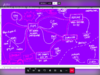 the 2021 edition by Aymeric
- 2022 Edition by Michael

Eduroam
The WiFi network of the school is called Eduroam. It's actually a network that is shared between higher education spaces and other academic organisations throughout the world.
INSTALL YOURSELF
- Are you connected to Eduroam already?
Yes! (go to step 10)
Nope (go to the next step) - Did you receive the HR letter with the login details?
Yes! (great! go to the next step)
Eh no? (Hmm. The people at the FIT/IT desk downstairs can help you further. It's the funny side desk next to the stairs on the ground floor.) - Try to connect to Eduroam, the workbook on this table lists how you can do this on different operation systems and in different ways (Linux/Android/Windows/MacOS/iOS/etc).
- If it does not work, you can go to the FIT/IT desk or ask the PZI coordinators.
Zulip
(Local) Networks
Context
You may hear people speak of the "Internets". More than a quaint (mis) naming, the idea of a global "Inter-network" of networks grew out of a reality of many independent networks that through standards, a myriad of technical protocols and ongoing physical care and maintenance work produce together produce the illusion of an always on 24/7 global network. Despite the many advantages of this network, creating ones' own private networks can be useful and in some cases essential to say create opportunities of connection to a community on its own terms.
Another kind of multiplicity that's important and not always understood. IP addresses identify your devices on a network. What's not often discussed is that you may have multiple connections to multiple networks (often through different interfaces). Each interface/connection has it's own IP address. So, a single device might have multiple identities (and IP addresses) on multiple networks at the same time.
INSTALL YOURSELF
- Connect to wifi network "infrastructour", the password is also "infrastructour". NB: Your device may warn you and perhaps even require additional confirmation to stay connected to this network as it's not connected to the public Internet.
- Check your network settings to find *your IP address on this network*, it should start with 192.168.1. Make a postit "HELLO" nametag and proudly display it.
This is your membership card to this local network, the first three numbers identify the shared network (aka the "subnet"). The last number is what uniquely identifies you on this network. Note that this IP address is *not public*. Also (and more exceptionally) this network is not connected to the public Internet. It's like a bubble that allows connections between those inside and connected.
- Try to connect to the URLs "sandbox27.local", or "infrastruc.tour".
If you see "https://" in your browser, make sure to correct it to "http://".
- Try to connect to the bootleglibrary via it's IP address on the infrastructour network.
Sandbox
INSTALL YOURSELF
Make a user account for yourself on the new sandbox!
- Type the following:
sudo adduser YOURUSERNAME - Follow the questionnaire that reveals itself. Content warning: this is full of legacy stuff from the past in the time that ROOM NUMBER was still thé thing! (the eh 1970s)
- Add yourself to a special administrator group (called SUDO: "super user DO"!) by typing:
sudo adduser YOURUSERNAME sudo - Check if it this all worked by typing:
ls /home/
And, suggest a name for this new sandbox!
- Print your suggestion by typing:
echo YOURSUGGESTION > /dev/usb/lp0
Wiki
INSTALL YOURSELF
Make a wiki account for yourself!
- Go to the XPUB/LB wiki: https://pzwiki.wdka.nl/mediadesign/
- Click on
create accountin the top right corner - Fill in your details
- the answer to the PZI CAPTCHA question is on this table
- you can pick any username you like, it does not have to be your student number or real name!
- Click on
Create your account - You should be redirected to the front page now, and see that you logged in in the right top corner!
Make your User Page!
- Click on your name in the right top corner (it's probably still red)
- You are redirected to an empty page now, you can write anything you like
- Try to save your changes and see if it worked
Add yourself to the Students list!
- Go to the page Students
- Add yourself to the list in the 2025/2027 section!! (and yes you can style your name however you like!)
Explore the Wiki further
- Go to this page on the wiki that introduces what a wiki is: A wiki wiki wiki session
- Tour yourself around by following the section "Wiki tour"
- Practice different ways to edit wiki pages by following the section "Editing"
[XPUB] and [MD] mailinglists
Mailinglists are shared email lists that can be used to send one email to everyone who is subscribed to a particular list.
In the past, we used mailinglists quite a lot to communicate about all sorts of course related things. But during the COVID lockdowns, we installed Zulip and started to use this channel to communicate with each other.
XPUB is currently barely using these lists for course related things. But! Students, and mostly alumni, do use these mailinglists still from time to time, to share job announcements, event info, open calls, and stuff like that.
There are two mailinglists that are being used:
[XPUB]: all XPUB alumni are subscribed to this list (everyone who graduated after 2018, aka the first XPUB alumni after the changes made to the course in that year)[MD]: all alumni since the start of XPUB and MediaDesign and Networked Media + all students from the start of of the Lens Based master. So... quite a lot of people!
INSTALL YOURSELF
Add yourself to the XPUB mailinglist
- Go to https://we.lurk.org/mailman3/lists/xpub.we.lurk.org/
- Write your email address and name
- Click
Subscribe
Add yourself to the MD mailinglist
- Go to https://we.lurk.org/mailman3/lists/md.we.lurk.org/
- Write your email address and name
- Click
Subscribe
Etherpad
introducing the features AND possible points of friction (Manetta)
XML
The Extra/Experimental/Extraterrestial Media/Magic Lab is one of the extra XPUB rooms next to the studio.
Starting from this year, Claudio will take care of the XML. If you want to join him, ask him!
XPUB library
The XPUB library is one of the extra rooms next to the studio.
The door of this room is usually locked, but you can open it with the XPUB master key that you can find in the locker box (see the locker box table).
Keybox
If you need to open one of the class rooms, the XML or the XPUB library, you can use the keys in the key (lock) boxes.
Where is this key box?
INSTALL YOURSELF
- Go and find the kitchen on the 4th floor
- Turn your back to the kitchen door and tada: this is the key box
- Open the locker box with the secret code which you can find on this table
- The key that you can use looks like this: XXX
Mastodon/Glitchsoc (404.xpub.nl)
404.xpub.nl is our (work-in-progress!) student-run Mastodon instance.
It's very fresh still! We picked this up as a collective research project during the last prototyping classes with Manetta of last year.
It allowed us to explore what the Fediverse is as a project, how it tries to build another type of social media and have a critical discussion about it.
And to not only study it from an outside position, we decided to install an XPUB Mastodon server and become part of the Fediverse. To do this, we had to tackle not only technical work (the installation and server related work), but also learn more about governance, code of conducts, customization and other sides of Fediverse cultures. To do this work all together, we split into 4 different groups:
- sysadmin/server
- moderation
- customization
- culture(s)
The server is fully in the hands of students! So if you want to join this initiative, you certainly can. XPUB staff is happy to support whenever needed and possible timewise.
INSTALL YOURSELF (optional)
If you want to explore this instance, and with it the wider Fediverse, you can make an account for yourself!
- Go to 404.xpub.nl
- Click on "create account"
- Follow the instructions
- It is possible that you don't receive the registration email... (i vaguely remember that this was an issue)... in that case: ask one of the XPUB2 students around this table for help :--)
The bootleg library
Context
- Project of Simon Browne
- Interfacing the Law series
Another simple means of having a "private" network... simple shared password(s).
Calibre is a Free software traditional desktop application for managing a digital library. Calibre web is a related project that adds a (shared) web interface built on top of a calibre installation. It adds the ability for multiple people to browse, upload, and edit metadata of books, as well as simple "readers" to read formats like PDF + epub online. Simon Browne's Bootleg library follows preceding projects like Bibliotecha, that were based on Calibre web. After maintaining and hosting the server at his home, responsibility for hosting the bootleglibrary returned to XPUB in 2023 (?), and it now sits in the physical XPUB library alongside Simon's original "bootleg" library cabinet and (paper) publications.
INSTALL YOURSELF
- Find the bootleg library, it's "public" URL is https://hub.xpub.nl/bootleglibrary, but you can also find it on the local network (be sure to add /bootleglibrary to the URL).
- check the table for the secret PASSWORD that allows you access to the library.
- Search for the article "Do Artifacts Have Politics?" by Langdon Winner.
- Search for the book "Sorting Thing Out" by Bowker and Star, view the PDF and go to page 48
- Check out what Steve has prepared: the Writing Machines Reader
Gitea
XPUB hosts a git server which we can access through the web client that we also host called Gitea, which you can find here: https://git.xpub.nl/
Git is a piece of free software that can be used to work collectively, on code or on text.
It's not the only way to publish code, you can think of so many other ways!, but it's something that a lot of people do.
Git is the underlying software that handles versioning and collaboration. On top of that, there are many different community initiatives/companies/software projects that offer an interface to git such as Codeberg, Github (owned by Microsoft), Gitlab, Gitea, and many others!
INSTALL YOURSELF (optional)
Make a user account
- Well... unfortunately, we have been overwhelmed with a big amount of bots making user accounts.. So we had to disable the registration button.
- To make a new user account, you will need to ask a staff member to do it.
- For today, you can write your preferred user name on the sheet of paper, and we will make the account for you!
XPUB servers
All this infrastructure runs on a couple of servers that are all locat
XVM (HUB, gitea, wiki, websites, pad, ...) + skattkista (backups) + OVH server (Zulip)
Workbooks
to explore how these workbooks are made (maybe, nice optional extra table)
Access Docs
While part of ableism is to not discuss disability and ableistinfrastructures, Access Riders create the possibility of naming valuesand access requirements, while simultaneously cutting down oncommunication labor and access-making-exhaustion in various workcontexts. As curator and cultural organizer Taraneh Fazeli describesin the homonymous exhibition she curated, the value of time thatAccess Riders hold space for is “sick time, sleepy time, crip time.”Essentially, they demand care outside of what the cis- heteronormative normative family and work week can reliablyrender possible.
Source: On Rehearsing Access' by Ren Loren Britton
- Access the bootleglibrary to find Ren Loren Britton's article "On Rehearsing Access"
- The article links to https://www.accessdocsforartists.com/, an online tool for making an access doc, visit the site and try it!
- RSVP for Connecting through Seams with Ren Britton and Anja Groten (Hackers & Designers) at the Nieuwe Instituut, Sep 25 from 19-21. Event is GRATIS and in English, but you should RSVP via an eventbrite link on the event webpage!