
User:Kiara/Research/DualBoot: Difference between revisions
| (One intermediate revision by the same user not shown) | |||
| Line 33: | Line 33: | ||
'''Relations to wider contexts'''<br> | '''Relations to wider contexts'''<br> | ||
* Research topics about communities and workflows | * Research topics about communities and workflows | ||
* [[ | * [[User:C3/PMoMM#install_party_linux_montana|Linux Montana install party (TBD)]] | ||
'''Choices made'''<br> | '''Choices made'''<br> | ||
Latest revision as of 15:31, 1 October 2025
Dual Booting: a journey log
From a Project that may or may not be made...
Summary of the PTMoMNbM
What is it?
My laptop runs on Windows 11. I hate it, here at XPUB I finally have an opportunity to install Linux...
Why make it?
...but I remain afraid and need some software only available on Windows (Affinity suite) so I would like to dual boot to be able to run everything I need on one laptop.
Workflow
- Find a good online guide;
- Back up the content of the laptop
- Flash USB
- Install Linux
- Write some documentation
Timetable
[updated from its original form with accurate information]
June 2025 Find a good tutorial
July 2025 Back up the laptop, run the installation
July 2025 Troubleshoot (see below)
September 2025 Regret and make a 5mn conference on why dual booting is a terrible idea
September 2025 Discover that Affinity can be installed on Linux
October-December 2025 Back up everything again, not forgetting the ssh keys, flash a USB with Windows 11, just in case, remove windows from the laptop and reinstall only Linux
Previous Practice
- Messing around in the terminal in Prototyping classes
- Installing WSL on my laptop
- Attending the JdLL in 2023
Relations to wider contexts
- Research topics about communities and workflows
- Linux Montana install party (TBD)
Choices made
- Linux distro: Debian 12
- Partitioning the SSD disk of my laptop instead of having one OS on each disk (error, don't do that)
Rapid prototypes
This is not prototypable
...to pain...
Description of my steps to install and troubleshoot
On July 20th 2025, I started my own journey into dual booting. It didn't go so well, but in the end I succeeded!
| Steps | Problems | Troubleshooting | Success? |
|---|---|---|---|
| Flashing a USB drive with the right ISO image (arm64) | - | - | Yes |
| Windows entire backup and cleaning | - | - | Yes |
| Partitioning the SSD to welcome the Linux OS | Partition management is a nightmare | Using Paragon allowed to partition smoothly | Yes |
| Booting into the USB flash drive to install Linux | The Debian installer doesn't see the SSD | Here begins the troubleshooting journey that takes 2 days :) it is detailed below | Yes!! |
| Getting my data back | It seems the disk doesn't have enough space wtf | Following this tutorial solved the problem :) | Yes |
| Setting up the file sharing system to access files from both OS without having to duplicate them | - | - | WIP-TBD |
Solve the invisible SSD problem
Here are the steps I followed in order to fix this problem:
- Disabling fast startup from windows - INEFFICIENT
- Changing the SATA HDD type to AHCI from the BIOS - SHOWS THE DISK BUT NO THE PARTITIONS + BREAKS WINDOWS
- I realized shortly after that the partition had not been made... so I did it again, but the SSD was still not showing (I also put the HDD back to its previous state).
- I went back to the BIOS to put the HDD into AHCI again, Windows breaks completely
- Reinstalling Windows... Reflashing the USB with Debian cause the USB drive was also partitioned for no reason...
- Safe boot and AHCI - WORKED
- Turn on the safe boot with
bcdedit/set {current} safeboot minimalin an admin run terminal (windows) - Restart and put HDD in AHCI in the BIOS
- Restart again and disable safe boot with
bcdedit/deletevalue safebootin an admin terminal - Hold shift and restart, then hit ESC to choose the booting option and run the Debian installer again!
- Turn on the safe boot with

- In the debian installer: SSD shows, I could run the manual partitioning and do the following:
- Choose the partition
- Rename it as "debian_root" and set "use as: Ext4 file system"
- Create a new partition from the previous one (a small one)
- Choose the auto config option and write changes
- Installation works!!
- In the debian installer: SSD shows, I could run the manual partitioning and do the following:
Dual Booting: Why it is a terrible idea
18-09-2025 EDIT
The dual boot works well BUT sometimes (too often) my laptop freezes as soon as it starts. To "solve" this I have to force turn it off and turn it on again. Sometimes I have to do this 5 times in a row for the laptop to actually start... (:
a 5mn conference given on Sept. 22
As stated in the previous log, dual booting Linux with Windows doesn't work so well. The laptop randomly crashes, here are some journalctl logs from crash moments:
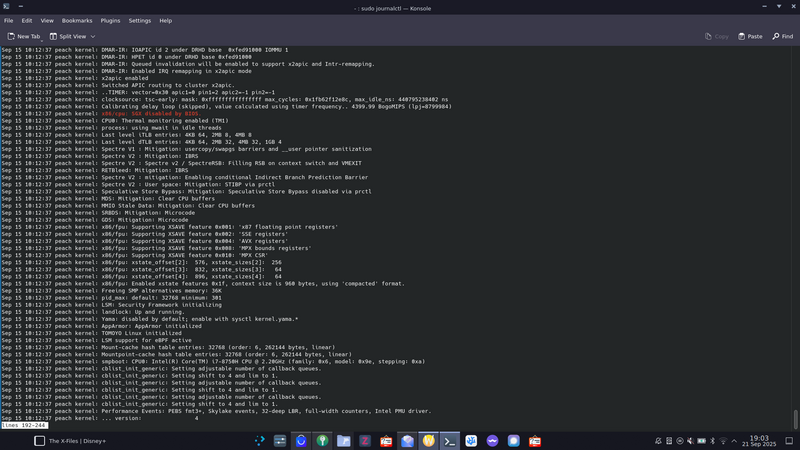
journal log showing the boot error
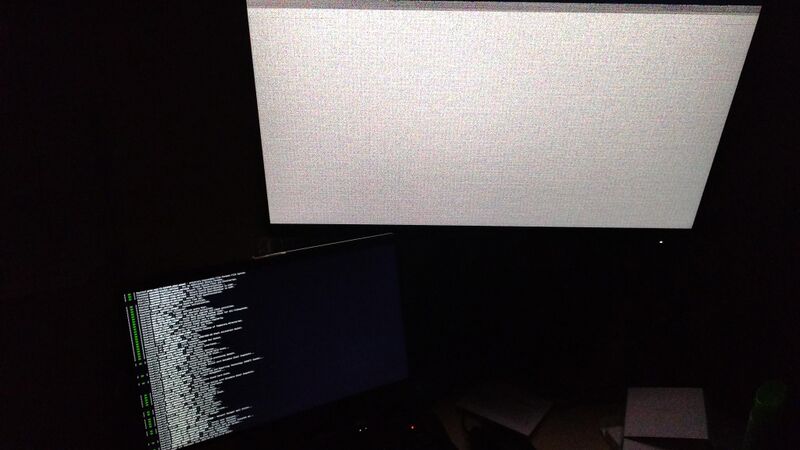
shutdown crash
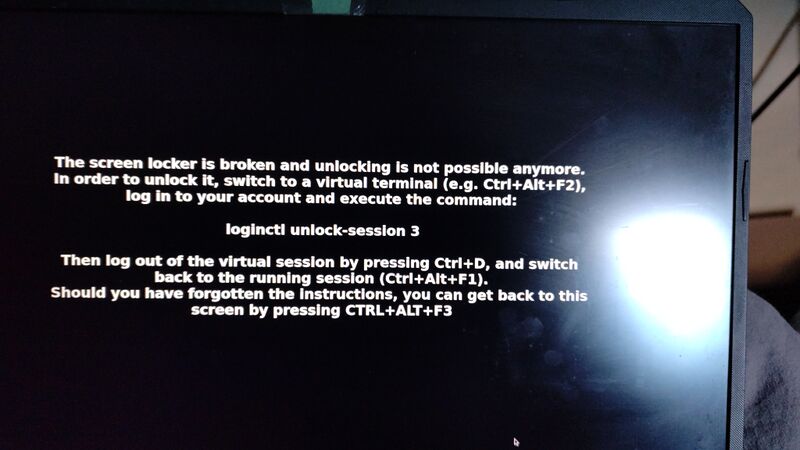
screen locker error


...to finally finding joy again
In the last week of September 2025, I learned about various tutorials that allow for installing Affinity software on Linux, without running a virtual machine.
The tutorial is here.
From now on, the goal has evolved. I will get rid of Windows for good!